
Adding Boolean search to your strategy in FluidityIQ
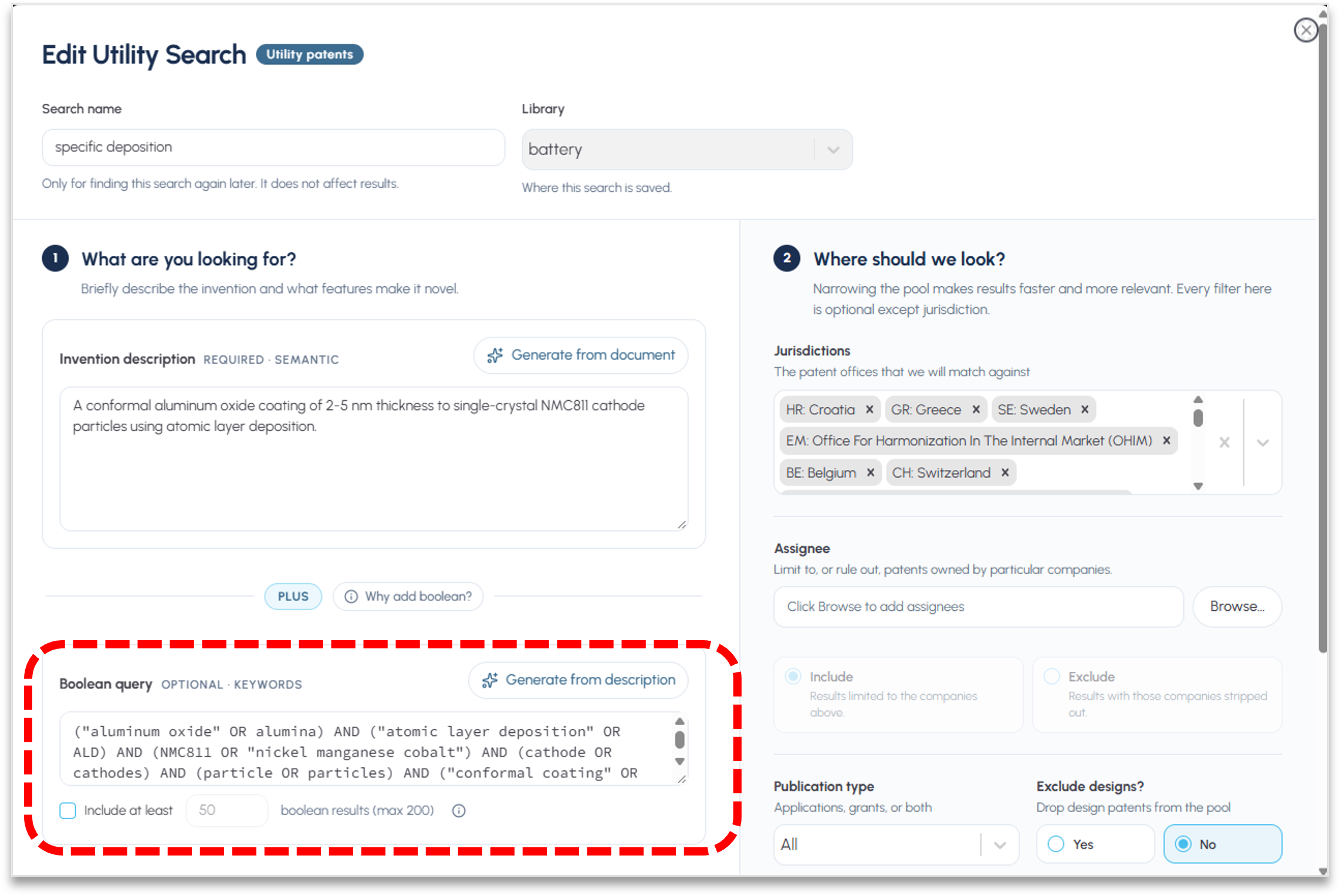
To get the best of a combined search, start with a sematic strategy that provides context to your search and then add Boolean syntax
To get the best of a combined search, start with a sematic strategy that provides context to your search. To read more on creating an effective semantic strategy click here. In the Boolean query panel on the bottom left, click the Generate from description button (see red box above). The platform will automatically generate a draft Boolean syntax that you may use to bring top Boolean results into the semantic search.
You may edit this strategy as you see fit. When complete and any other filter is added, click the Create Search button or the Update Search button in the lower left, depending on whether you are drafting a new strategy or editing an existing strategy, respectively. You may dictate how many Boolean results are included in your search results.
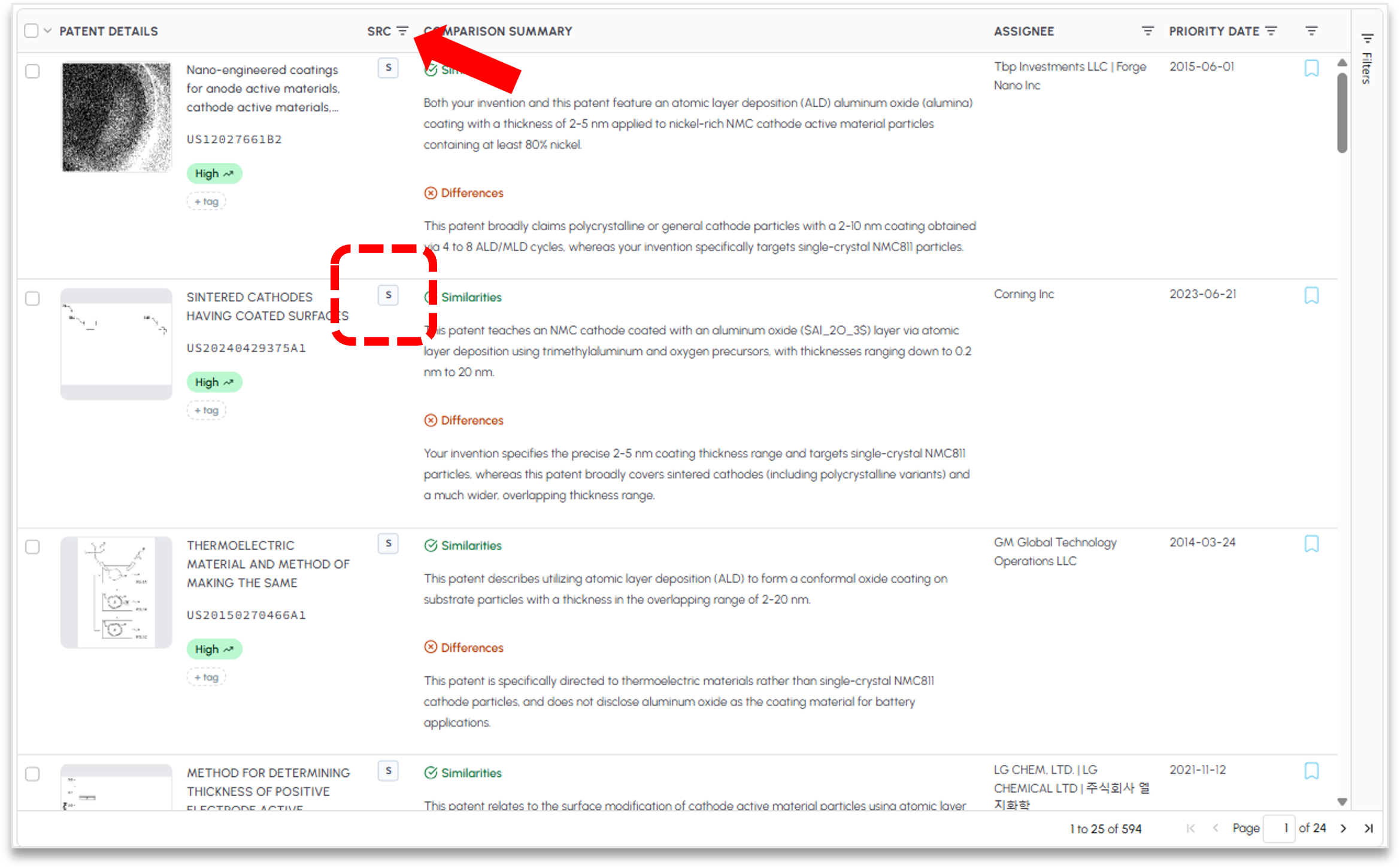
Your search results will blend both the semantic results and the top Boolean results in descending order of relevance based on FluidityIQ’s re-ranker. In addition to the blended results, you may sort by semantic only, Boolean only, or both. Each row will have a “B” and “S” or a “2” indicator based on whether the patent was identified as part of the semantic strategy, the Boolean syntax or if the patent was identified by both strategies. See the red box below. You may sort the results using the header identified by the red arrow below.
Please reach out to support@fluidityiq.com for more assistance on using any of the features of FluidityIQ.