
Leverage our native agent to explore an innovation space and build out your Private Innovation Library
Every exploration of a technical area starts the same way: with a question. What’s happening in this space? Who is innovating? Where are the gaps? Until now, turning that question into results meant choosing a search type, configuring filters, and building the search before any insight came back.
With our latest release, you can skip straight to the question. The Digital Research Assistant now works at the library level, so R&D and IP teams can begin exploring a technical concept simply by asking the agent.
Two ways to begin
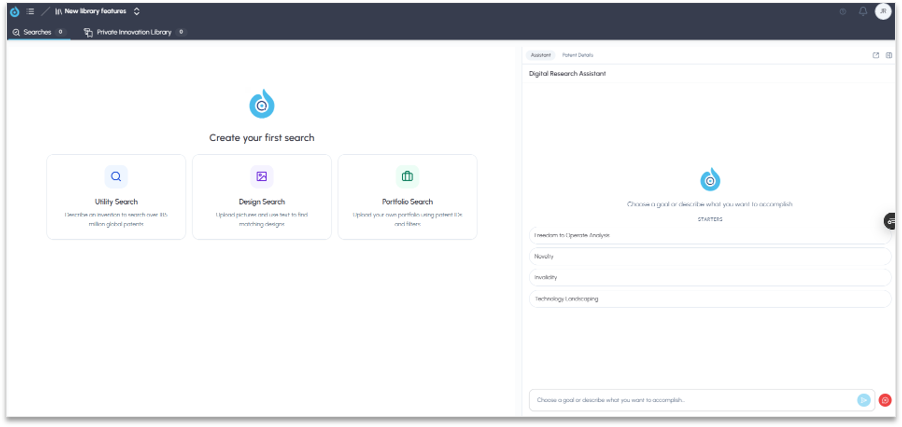
FluidityIQ continues to offer its search construction tools for teams that want direct control. Utility Search lets you describe an invention and search more than 185 million global patents, Design Search lets you combine images and text to find matching designs, and Portfolio Search lets you upload your own portfolio using patent IDs and filters.
Now there’s a second path. Open the Digital Research Assistant in the right-hand panel and either type your question conversationally or choose one of the built-in starters for guidance, including Freedom to Operate Analysis, Novelty, Invalidity and Technology Landscaping.
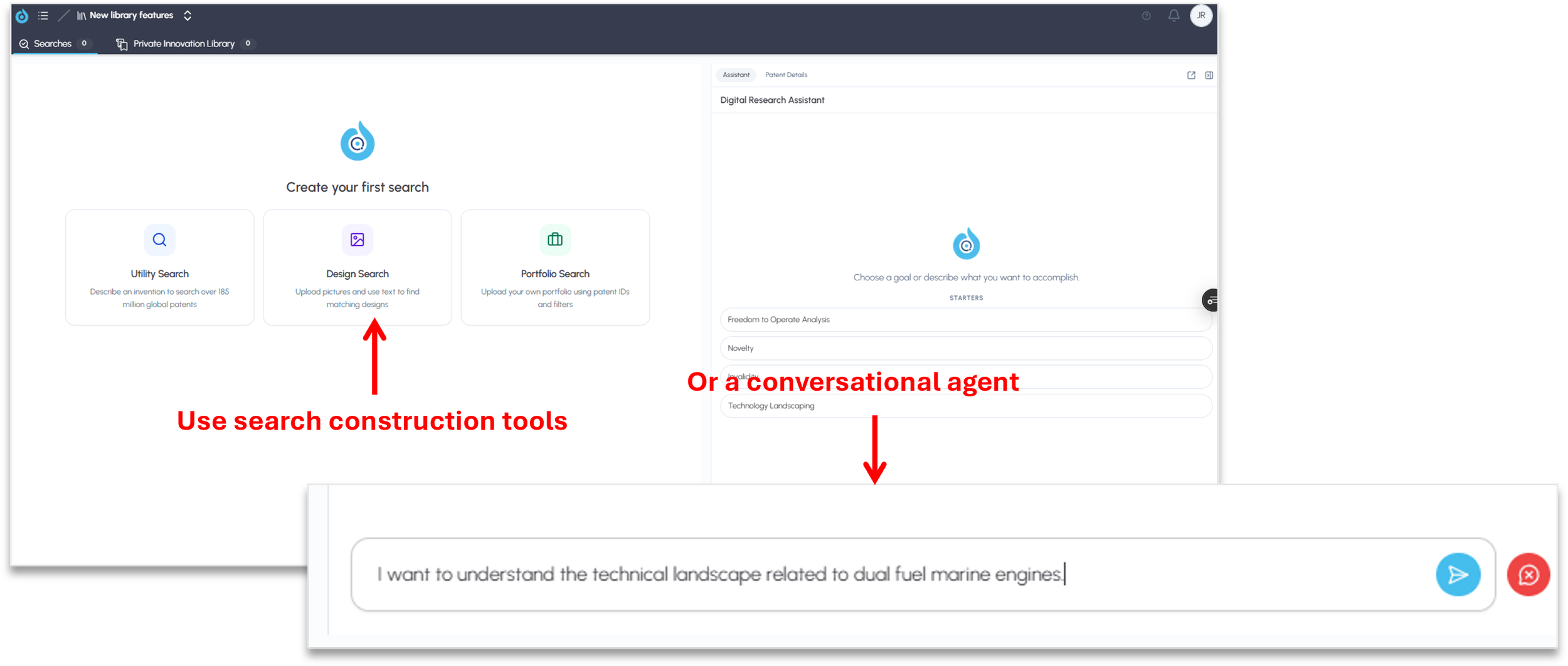
In our example, the user simply typed: “I want to understand the technical landscape related to dual fuel marine engines.”
The agent builds the search for you
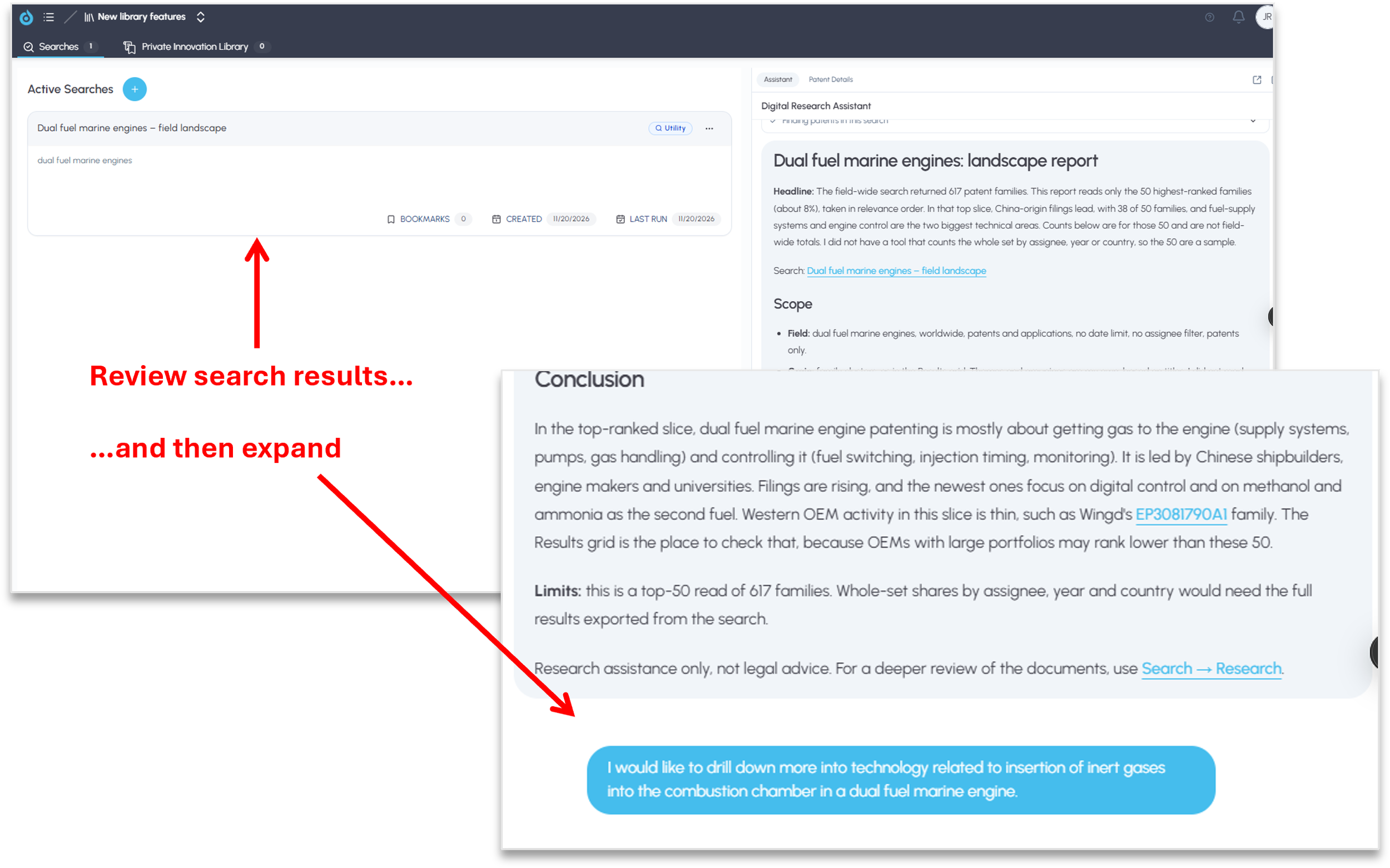
From that single question, the agent constructs a search in the background, places the results in your library as a new active search, and summarizes what it found in the assistant panel.
The summary is structured for review. It states the scope of the search, how many patent families were returned, how many were read, and the key technical themes and assignees in the highest-ranked results. It is also explicit about its limits, so you know exactly what the summary covers and where to look for a complete picture.
If you have specific requirements, tell the agent. Any filter available in the search construction screen, such as jurisdiction, can be provided as guidance when the agent builds the search.
Review, then expand
Because every agent-built search lands in your library, you’re never limited to the summary. Open the search results to access all of the platform’s analysis features, or keep the exploration going in the assistant panel.
In our example, after reviewing the dual fuel marine engine landscape, the user asked a follow-up question: “I would like to drill down more into technology related to insertion of inert gases into the combustion chamber in a dual fuel marine engine.”
Every question can grow your corpus
Rather than narrowing the original results, the agent created a new, focused search within the same library on that specific area of innovation and summarized it. The summary identified the core of the topic, the key patent families, and the distinct technical approaches being pursued, with direct links to the underlying patents and the relevant claims.
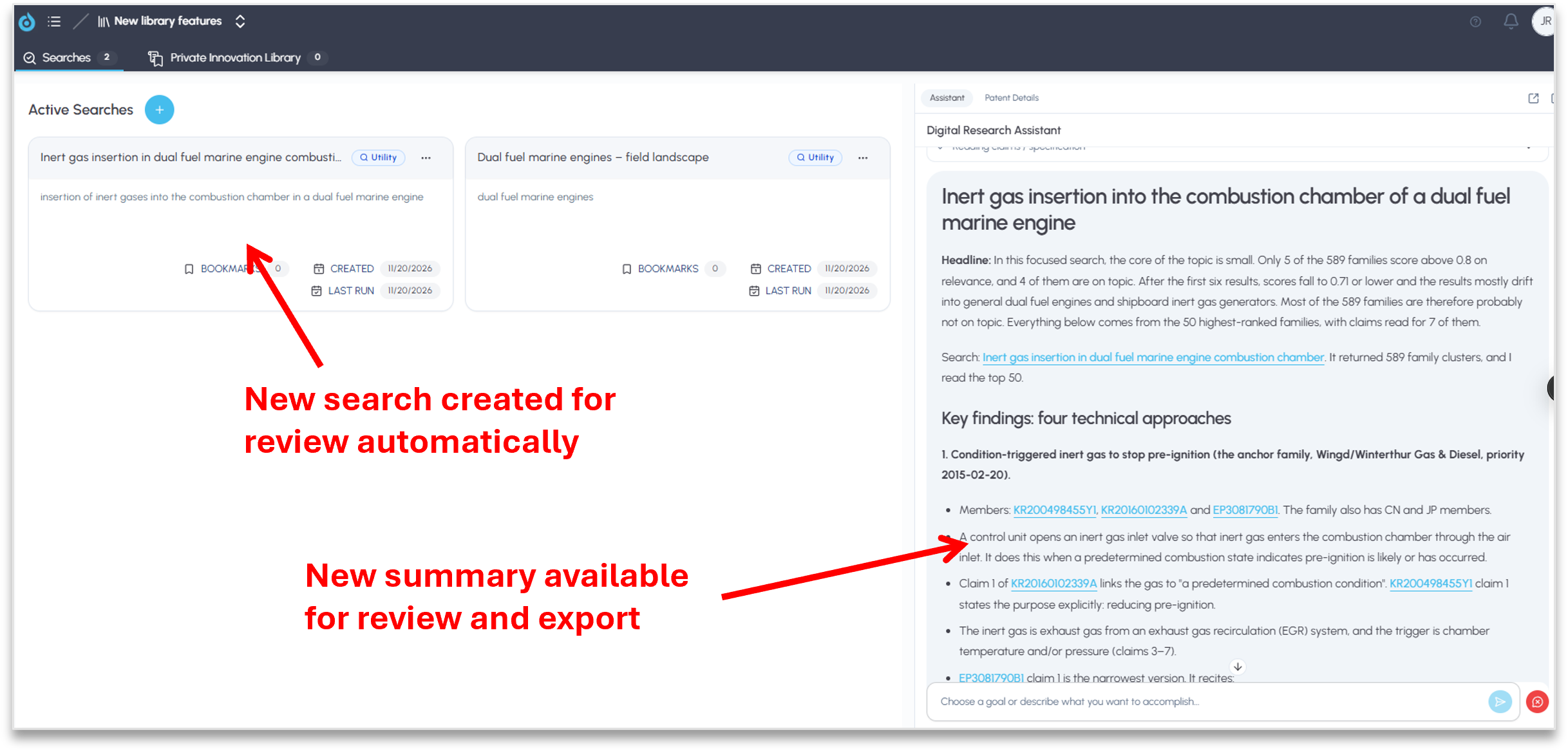
This is how exploration actually works. Each new question can prompt the agent to create a new search that expands the corpus, and because the agent can work across search results, it can draw connections across every search in the library as your understanding develops.
Built for invention harvesting and technical exploration
For R&D teams and IP departments engaged in invention harvesting or mapping an unfamiliar technical area, this changes the starting point. You don’t need to know how to frame the perfect search before you begin. Start with what you want to understand, review what the agent finds, and follow the threads that matter, with every step captured in your library for deeper analysis.
Please reach out to support@fluidityiq.com for more assistance on using any of the features of FluidityIQ.