

Learning Center
Getting the most out of semantic search and Deep Research Agents
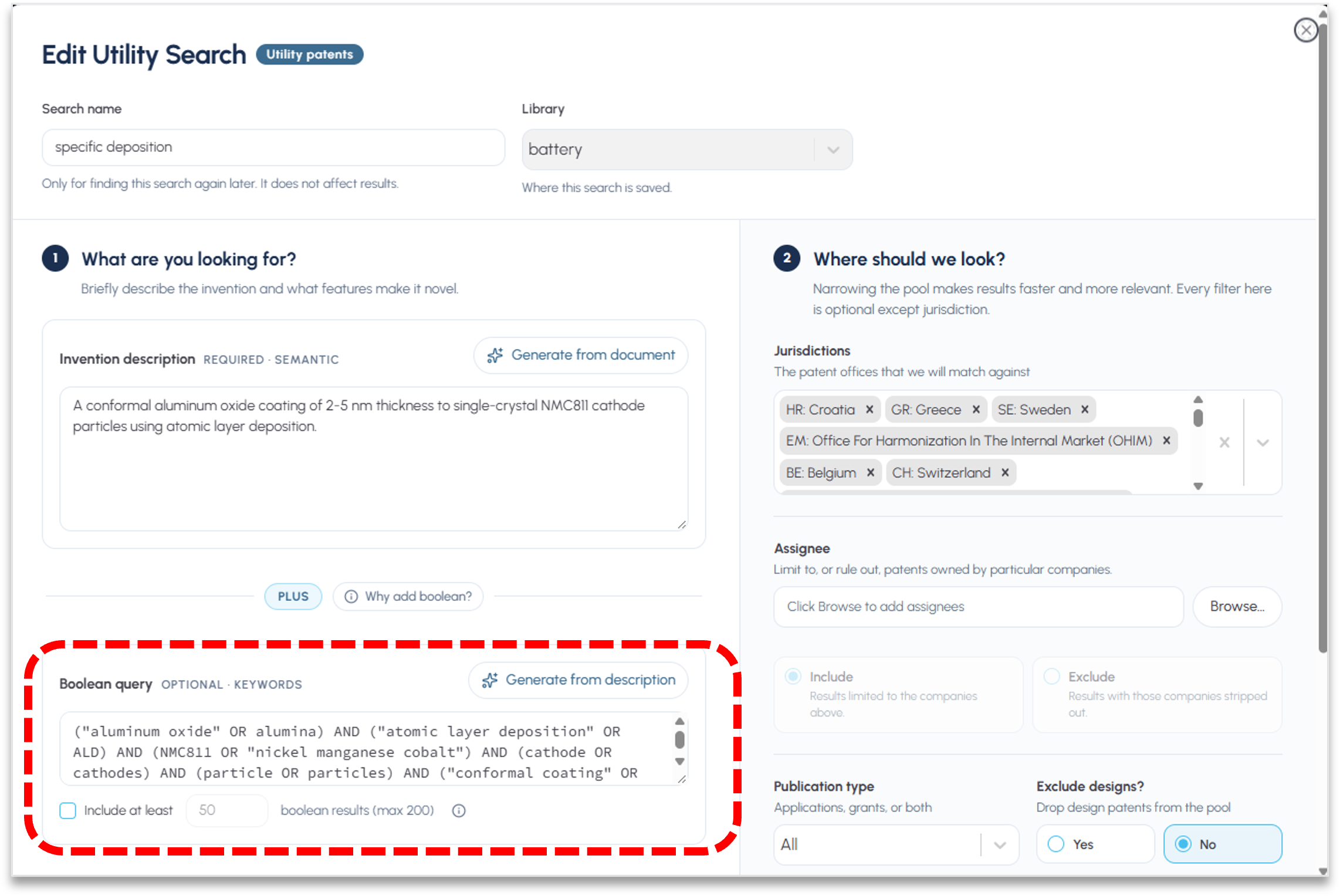
Adding Boolean search to your strategy in FluidityIQ
To get the best of a combined search, start with a sematic strategy that provides context to your search. In the Boolean query panel on the bottom left, click the Generate from description button (see red box above). The platform will automatically generate a draft Boolean syntax that you may use to bring top Boolean results into the semantic search.
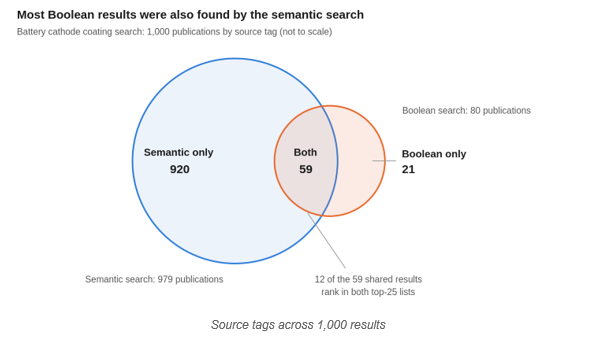
Semantic and Boolean, Together: Why Combined Search Builds a More Complete Picture
For years, patent searchers have debated which approach is better. Semantic search understands meaning, so it finds relevant documents even when they use different words. Boolean search follows your exact instructions, so it is precise, repeatable, and easy to explain. Each has real strengths, and each has blind spots.
Semantic Search Query Methodology FAQ
FluidityIQ ranks documents by meaning, not by matching strings, so the words you leave out of a query shape the results as much as the words you put in. The single biggest lever on result quality is how you translate a claim or an invention into a query: what you keep, what you strip, and how you split it. The answers below give explicit query-construction rules, then show how those rules shift across freedom-to-operate, novelty, and invalidity work.
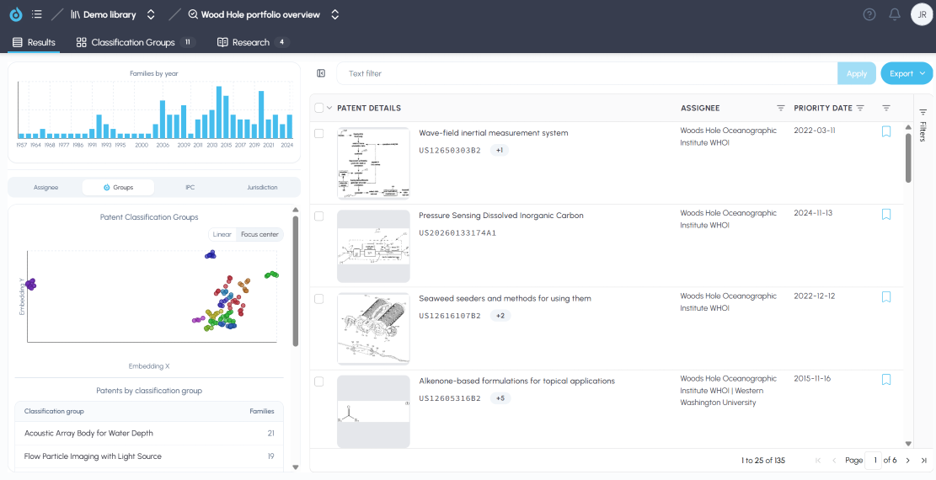
FluidityIQ platform Quick Reference guide
This Quick Start Guide provides high-level guidance to help users get the most out of the platform. This guide may link you to deeper support articles in order to avoid repetition. More helpful information can be found by visiting the Learning Center by clicking on the “question mark” icon in the upper right of the screen once logged in.